

NIT Bulldozer G3 Guide operator response · technician diagnosis
Bulldozer Dashboard
Warning Lights &
Symbols Explained
symbol · message · gauge · machine behaviour · diagnosis
A practical G3 guide to bulldozer dashboard warnings and information lights: what the operator should do, what evidence matters, and where a technician should begin diagnosis.
Read the whole machine condition.
What should you do when a bulldozer dashboard warning appears?
Read the symbol, message, gauge and machine behaviour together. For the operator, the practical sequence is SEE → READ → RESPOND → REPORT. For the technician it becomes VERIFY → CODE → TEST → DIAGNOSE → CONFIRM. Powertrain, transmission, hydraulic and engine warnings matter especially on a crawler dozer because heavy pushing and repeated forward/reverse cycles place sustained load on those systems. [3][7][8]
Why this knowledge matters
The operator sees the fault while the bulldozer is actually working
A workshop test cannot always reproduce a long heavy push, repeated F-R cycling, hard ripping, a dusty cut or a fault that appears only at full working temperature. The operator is often the first person to see the warning under the exact condition that created it.
Make the correct operating decision
Separate a real system warning from a normal status indicator such as parking brake, hydraulic lock, blade float or an operating mode.
Catch developing problems
Temperature, pressure, filtration and charging warnings can show a changing condition before the machine loses function.
Preserve diagnostic evidence
Record what the dozer was doing, which gauge changed and whether the condition recovered when the load was reduced.
Give the technician a useful handover
“Powertrain temperature rose during repeated heavy pushes” is more useful than “the bulldozer is overheating.”
Read the dashboard correctly
A bulldozer display combines warnings, measured conditions and active functions
ISO 6405-1 standardizes common symbols used on earth-moving-machine controls and displays, while ISO 6405-2 covers symbols for specific machines, equipment and accessories. [1][2] Modern dozer monitors also combine temperatures, travel information, safety states, service information and operator-assist functions. [3][4][5][6]
Warning
A system needs attention
Examples include oil pressure, coolant temperature, powertrain heat, drive pressure, filter restriction and charging-system faults.
Status / information
Know what the machine is doing
Parking brake, hydraulic lock, travel direction, blade float, reversing fan, slope and operator-assist functions can describe the present machine state rather than a fault.
Monitor artwork varies by dozer model. The operating principle is consistent: identify the system, read the accompanying message or gauge, and relate it to the way the bulldozer is behaving.
Fast reference
Bulldozer warning lights: meaning and first diagnostic direction
| Dashboard indication | Operator response | Technician starts here |
|---|---|---|
| Engine oil pressure | Stop loading the engine and secure the machine. | Measure actual oil pressure. |
| Coolant temperature | Reduce heavy load and observe the temperature trend. | Cooling-system performance and measured temperature. |
| Powertrain temperature | Reduce pushing load and repeated F-R cycles. | Fluid, cooling, pressure and drive condition. |
| Transmission / hydrostatic pressure | Record travel and steering behaviour; secure the machine if response changes. | Charge/drive pressure and hydrostatic system. |
| Transmission filter restriction | Record whether it appears cold, hot or under load. | Filter, oil, contamination, pressure and restriction circuit. |
| Hydraulic oil temperature | Reduce intensive blade/ripper use. | Oil, cooler, filter, pressure, relief operation and internal leakage. |
| Hydraulic filter restriction | Record blade/ripper response and temperature. | Filter, contamination, restriction device and hydraulic pressure. |
| Drive-system warning | Report weak travel, steering change, vibration or noise. | Drive pressure, controls, pumps, motors and final drives. |
| Charging system | Record whether the warning remains after start-up. | Battery and charging voltage, alternator, cables and grounds. |
| Air restriction | Record dust conditions and any loss of power. | Air cleaner, intake path and restriction sensing. |
| Engine-system warning | Record the exact message/code and engine behaviour. | Diagnostic data, live values and physical testing. |
| Final drive | Report leakage, heat, noise or changed travel behaviour. | Lubricant, seals, temperature, bearings/gearing and sensing. |
On a small screen, swipe horizontally to view all three columns.
Visual reference · all 28 signs
Critical engine and electrical warning signs
These six signs protect the engine, electrical supply and intake system. Oil pressure, coolant temperature and charging conditions are fundamental monitored values on crawler dozers. [7][8]
Engine oil pressure
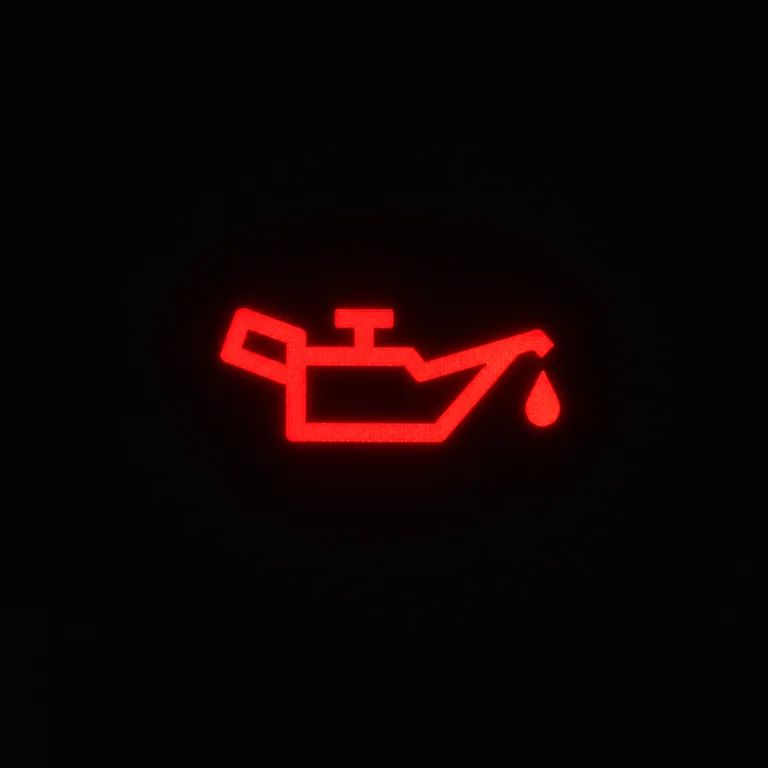
Operator: stop loading the engine, secure the machine and record when the warning appeared.
Technician: verify actual oil pressure, then check oil quantity, sensor circuit, filter, pump and lubrication system.
WarningEngine coolant temperature

Operator: reduce heavy load and watch the temperature trend.
Technician: confirm actual temperature, then check coolant, airflow, fan, circulation, thermostat, pump and sensing.
WarningCharging system

Operator: record whether the light remains after start-up and note electrical symptoms.
Technician: measure battery and charging voltage before checking alternator output, cables, grounds and protection devices.
WarningEngine system
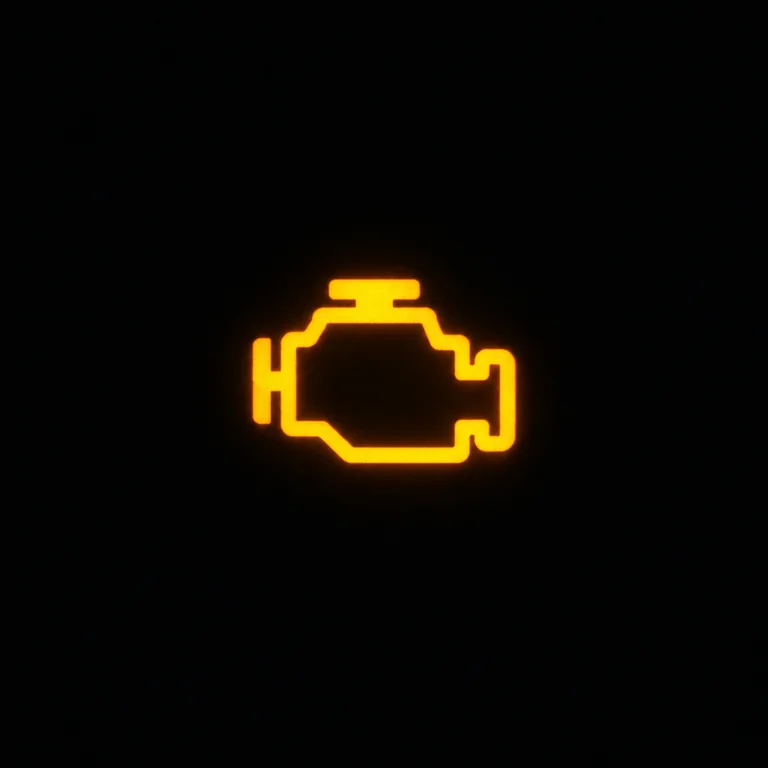
Operator: record the complete message or code and the engine behaviour.
Technician: retrieve diagnostic data, compare live values with physical measurements and test the affected system.
WarningMaster warning

Operator: read the associated symbol, message and gauge rather than stopping at the master lamp.
Technician: trace the event to the system that generated it.
Attention signalAir filter restriction
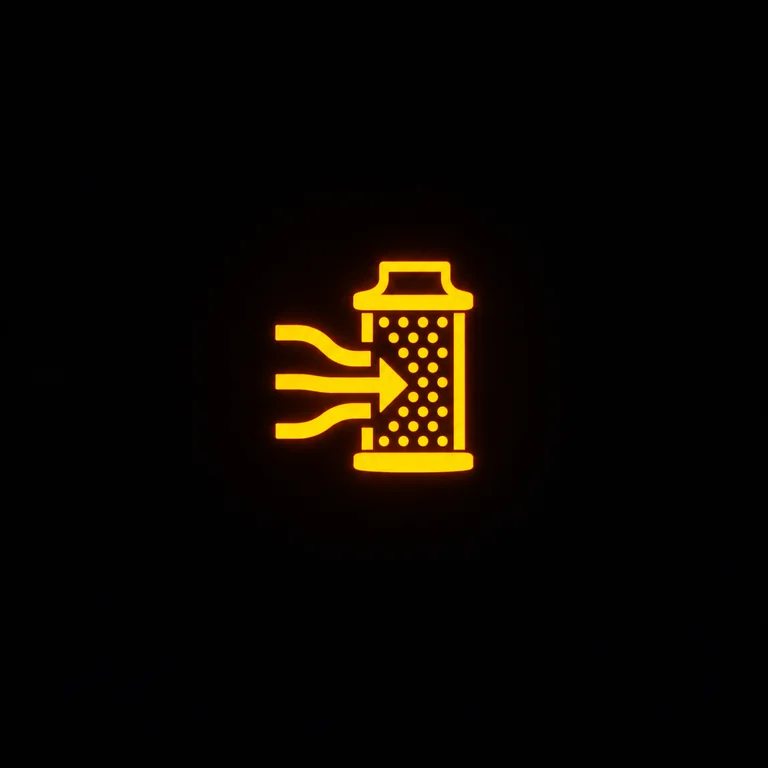
Operator: record dust conditions and any power change.
Technician: inspect the pre-cleaner, filter elements, intake route and restriction sensing.
Service warningCrawler-dozer priority
Powertrain, transmission, hydraulic and final-drive signs
A bulldozer converts engine power into high tractive effort at the tracks while the hydraulic system controls the blade and ripper. Official crawler-dozer documentation includes hydrostatic pressure, filter restriction, final-drive integrity, transmission temperature and related drive warnings. [3][7][8]
Powertrain temperature

Operator: reduce pushing load and unnecessary F-R cycling; record whether travel or steering changed.
Technician: check fluid, filter, cooling, pressure and drive condition.
Bulldozer priorityTransmission / hydrostatic pressure

Operator: note weak travel, delayed response, jerking or steering change.
Technician: verify charge/drive pressure, pumps, motors, valves, sensors and controls.
Bulldozer priorityTransmission filter restriction

Operator: record whether the warning appears cold, hot or under load.
Technician: check filter restriction, oil condition, contamination, pressure and the restriction circuit.
Powertrain warningHydraulic oil temperature
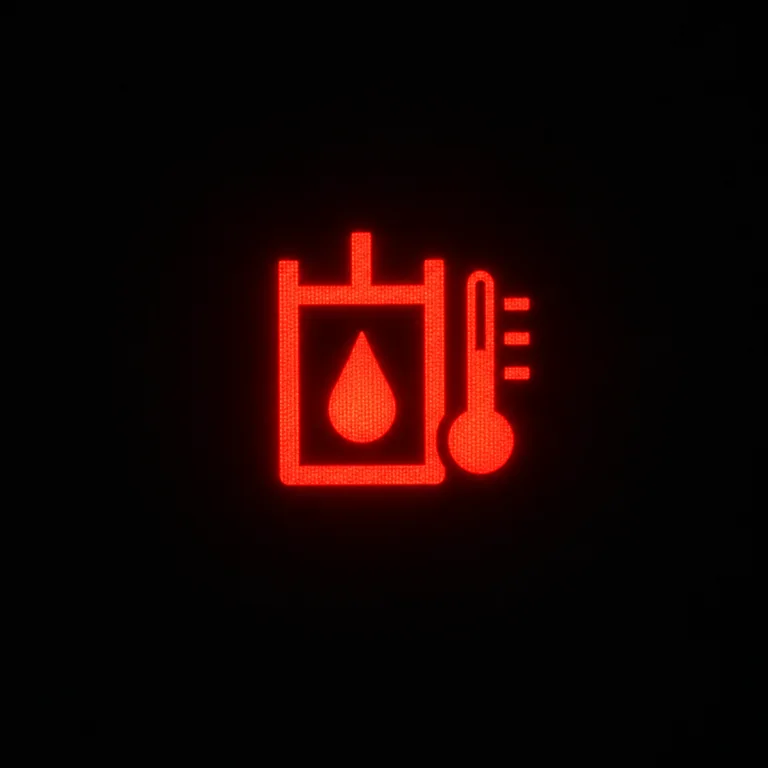
Operator: reduce intensive blade or ripper work and note whether attachment response changes.
Technician: check oil, cooling, filters, pressure, relief operation, pump condition and temperature sensing.
Hydraulic warningHydraulic filter restriction

Operator: record temperature and blade/ripper response when the warning appears.
Technician: inspect the filter, oil condition, contamination, bypass/restriction device and system pressure.
Hydraulic warningDrive-system warning
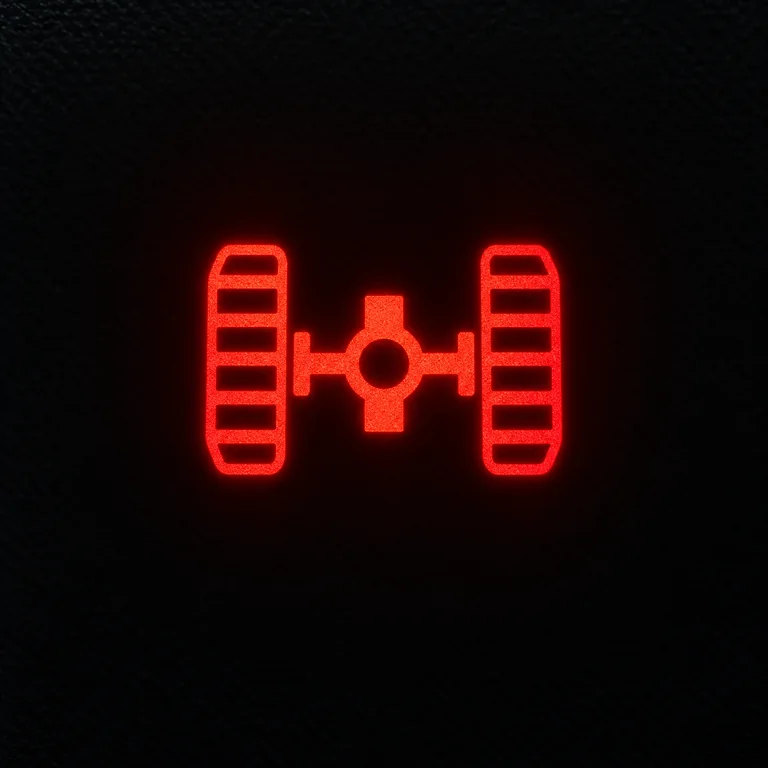
Operator: report changes in pushing power, travel, steering, vibration or noise.
Technician: verify drive pressure and control data before moving through pumps, motors/final drives and control hardware.
Drive warningFinal drive warning

Operator: combine the warning with observations of leakage, heat, noise and travel behaviour.
Technician: check lubricant, seals, temperature, sensing, bearings/gearing and final-drive condition.
Crawler-drive warningRecord whether heat appears during sustained pushing, repeated forward/reverse cycles, slopes, hard ripping or another repeatable operating condition. That pattern is diagnostic evidence.
Safety and machine state
Parking, lock, direction, blade and cooling-status signs
Current dozer monitors can display seat-belt, parking-brake, hydraulic-lock and direction/speed information, while monitor controls can also include fan purge and blade functions. Bulldozers are also included in OSHA’s earth-moving-equipment provisions addressing operator restraints and related equipment. [4][6][9] A status sign becomes a diagnostic issue when the displayed state and the actual machine condition disagree.
Parking brake

Meaning: parking brake is applied or the related interlock state is active. Confirm the normal release conditions before travel.
Technician: diagnose the control/interlock system if the state does not change correctly.
Status / safetyHydraulic lock

Meaning: implement hydraulics are inhibited. Confirm the normal enable sequence before treating a non-responsive blade as a hydraulic failure.
Status / interlockSeat belt
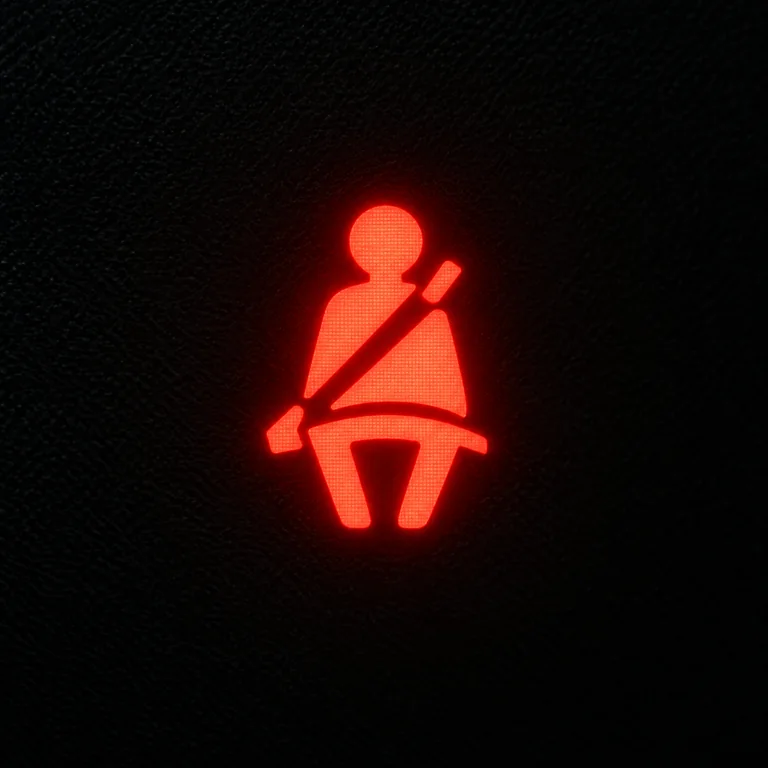
Meaning: operator-restraint status requires attention. Fasten the seat belt before operation.
Technician: if the displayed state is wrong, check the restraint switch, connector and circuit.
Safety statusForward / reverse direction

Meaning: selected travel direction or direction-control state.
Technician: if the indicated direction and actual response disagree, check direction inputs, interlocks and drive-control data.
Operating statusBlade float
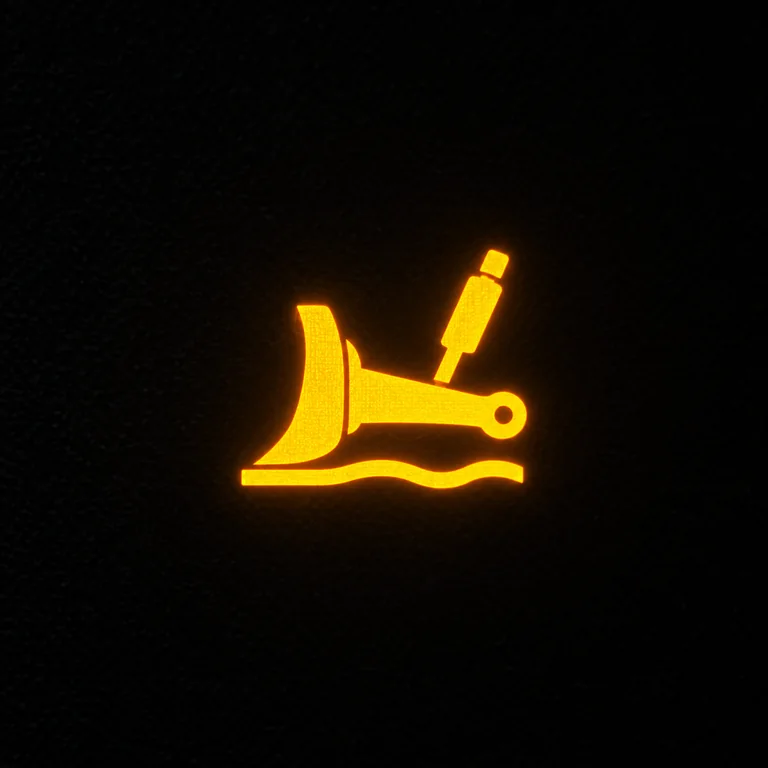
Meaning: blade float is selected. Know when float is active so normal blade behaviour is not mistaken for a hydraulic problem.
Blade statusReversing fan

Meaning: cooling-fan purge/reverse is active or selected. It explains the temporary change in fan sound and airflow during debris clearing.
Cooling statusFuel · emissions · operator assist
Fuel, aftertreatment, slope and productivity information signs
Modern dozer monitor screens can show fuel and DEF percentage, slope, and operator-assist functions such as traction control, stable blade and auto shift; the service menu can also provide regeneration controls and diagnostic information. [4][5]
DPF / regeneration
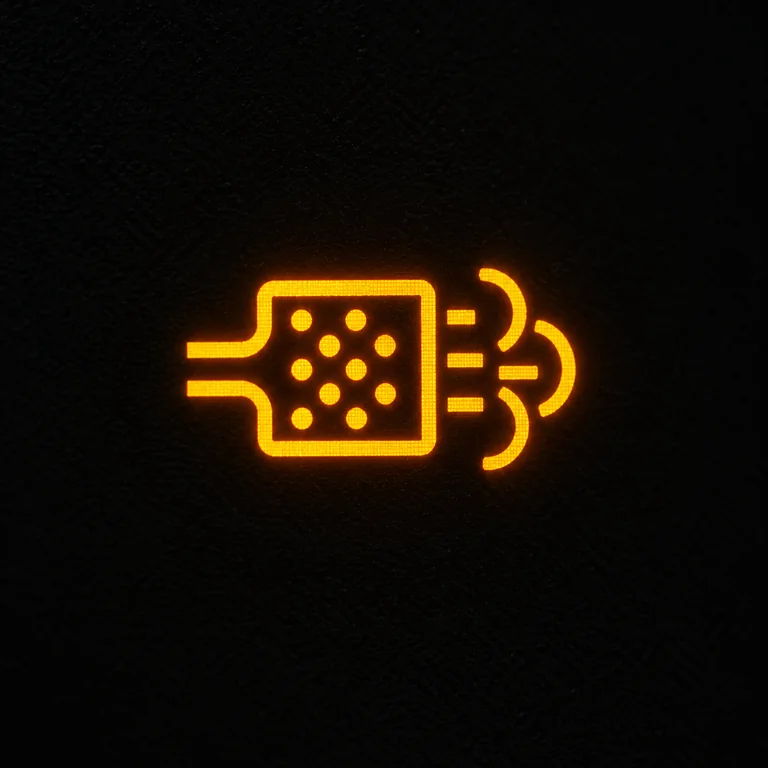
Meaning: regeneration is active, requested or needs operator action. Read the complete monitor message.
Technician: check soot load, regeneration history, temperature/pressure sensing and aftertreatment condition.
AftertreatmentLow fuel
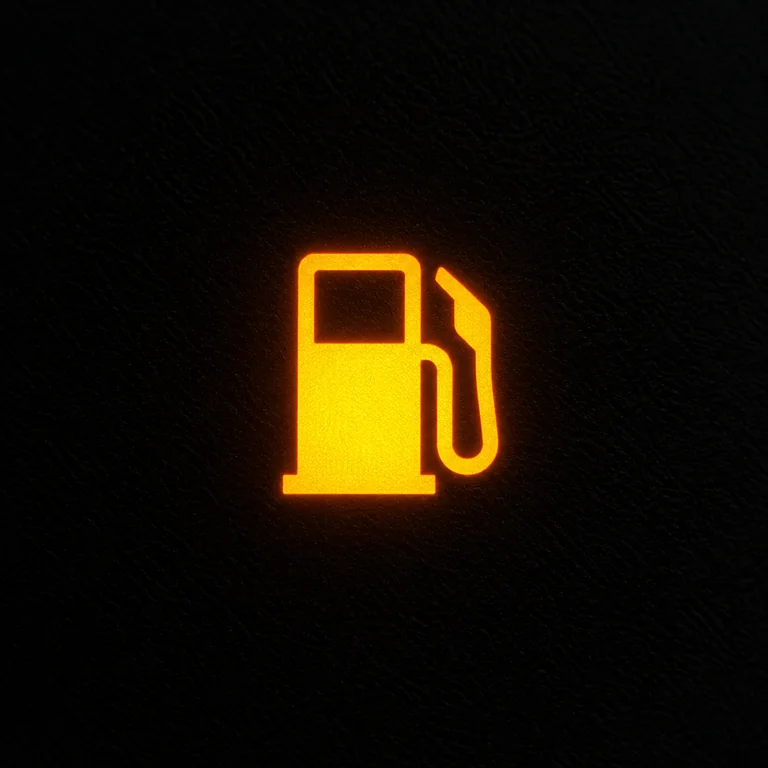
Meaning: fuel quantity is low. Refuel through the normal site procedure.
Technician: if the reading is inaccurate, check the sender, wiring, connectors and monitor input.
Operating informationWater in fuel

Meaning: water has been detected in the fuel/water-separation system. Follow the normal separator inspection/draining procedure.
Technician: investigate repeated contamination through the separator, filters, tank and fuel source.
Fuel-system warningDEF level

Meaning: diesel exhaust fluid quantity/status on emissions-equipped dozers. Read the accompanying message.
Technician: verify DEF quantity/quality, sensing, dosing and SCR-system condition according to the displayed fault.
Aftertreatment statusSlope indicator
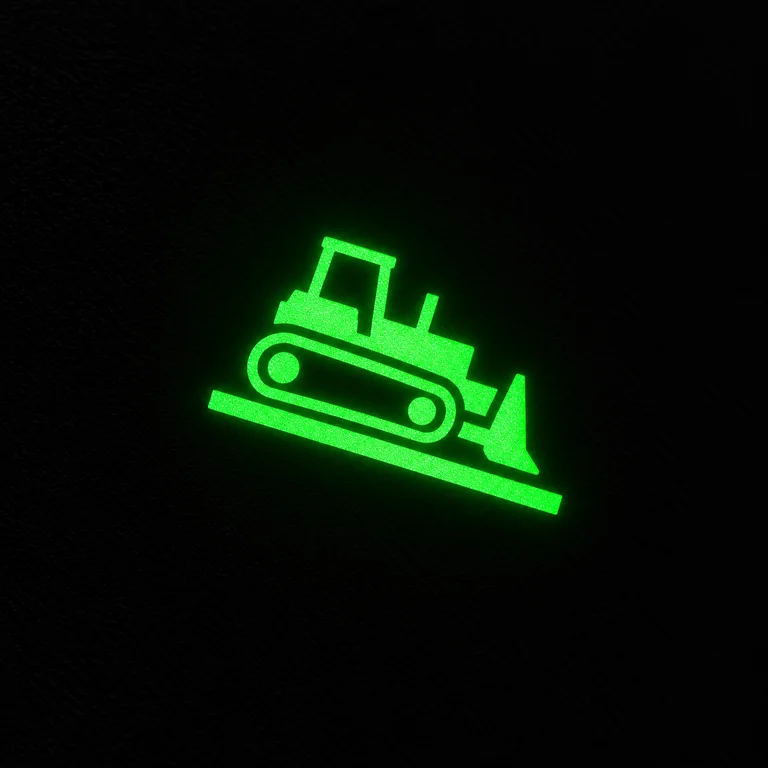
Meaning: the monitor is showing machine slope/grade information. Use it as operating information alongside ground judgement and site controls.
Operating informationTraction control
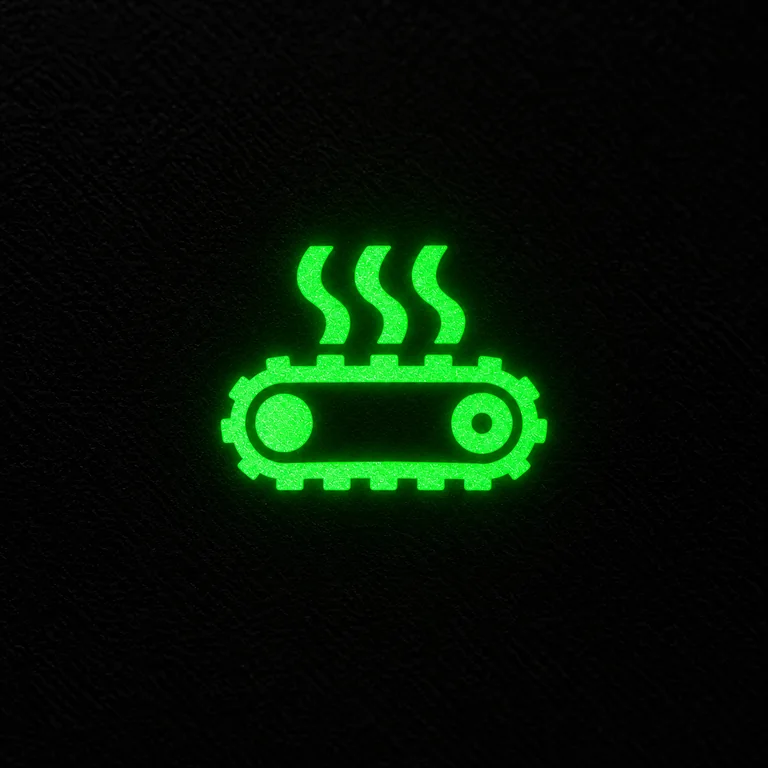
Meaning: traction-control function is available or active to help manage track slip. Match the indication with actual track behaviour and machine settings.
Operator assistStable blade / blade assist
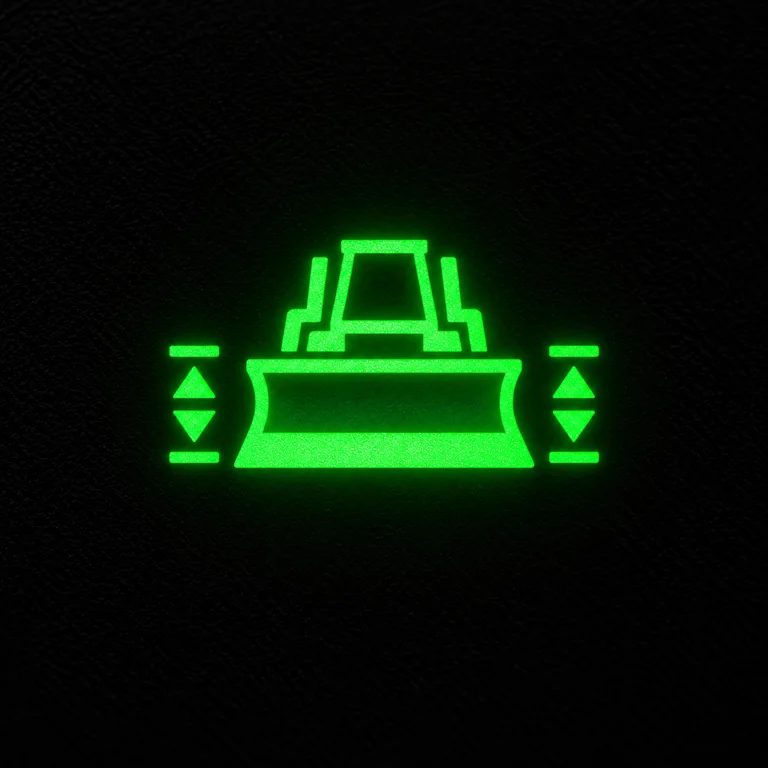
Meaning: blade-stability or blade-assist function is active/available on equipped machines. It supports consistent blade control rather than reporting a mechanical fault.
Operator assistAuto shift

Meaning: automatic powertrain shifting is active/available on equipped machines. Confirm the selected setting when assessing changes in drive behaviour.
Powertrain statusEconomy mode

Meaning: an economy operating mode is selected. Match the mode to the work and distinguish the selected strategy from a warning condition.
Operating modeTwo roles · one machine
Operator responds to the condition; technician proves the cause
SEE → READ → RESPOND → REPORT
- See the sign and notice sound, smell, smoke, power, travel, steering and blade response.
- Read the complete monitor: sign, message, gauge and code where shown.
- Respond by changing the operating condition or securing the dozer as required.
- Report evidence instead of inventing a failed component.
VERIFY → CODE → TEST → DIAGNOSE → CONFIRM
- Verify the physical pressure, temperature, voltage or machine condition.
- Retrieve available active/stored codes and relevant live data.
- Test the affected circuit or mechanical/hydraulic system.
- Repair the root cause and reproduce the original working condition to confirm the result.
Preserve the evidence
A useful bulldozer defect report records what happened under load
| Record | Example | Why it helps |
|---|---|---|
| Machine hours | 2,416 h | Links the event with service and fault history. |
| Warning | Powertrain-temperature warning | Identifies the system reported by the monitor. |
| Task | Heavy pushing in compacted fill | Shows the machine load when the event occurred. |
| Operating pattern | Repeated forward/reverse cycles | Provides powertrain heat context. |
| Machine behaviour | Travel and steering normal | Separates the warning from an obvious control loss. |
| Other temperatures | Coolant and hydraulic temperature normal | Helps isolate the powertrain from other heat sources. |
| After load reduction | Powertrain temperature began falling | Shows the relationship between warning and workload. |
On a small screen, swipe horizontally to compare all three columns.
Technician sequence
Turn a dashboard warning into a physical diagnosis
Verify
Confirm the actual physical condition before changing parts: pressure, temperature, voltage, fluid level or machine function.
Code
Record active and stored diagnostic information, monitor messages and useful sensor data where available. [5]
Test
Test the affected circuit or system in a logical order rather than replacing the component named by the display.
Diagnose & confirm
Choose the cause that explains the warning, measurement and operating pattern; then verify under the condition that previously produced it.
If actual pressure or temperature is abnormal, follow the physical system. If the physical measurement is normal but the monitor reading is wrong, move toward the sensor, connector, wiring, supply/ground and controller input.
Newton Institute of Technology practical demonstration
Teach the learner to identify which system is hot during a heavy push
At Newton Institute of Technology, dashboard knowledge becomes practical when a learner connects the cab indication with the real machine system behind it. NIT’s Bulldozer Parts and Functions guide owns the mechanical anatomy; this guide focuses on the dashboard decision and operator-to-technician handover. [10]
Temperature warning during a heavy push
- Learner identifies whether coolant, hydraulic or powertrain temperature is rising.
- Learner records blade load, F-R cycling, travel and steering response.
- Load is reduced and the learner observes which temperature changes.
- Technician-level follow-up verifies the relevant physical temperature and system condition.
Charging warning after start-up
- Operator records start behaviour, warning state and other electrical symptoms.
- Technician measures standing battery voltage and charging voltage.
- Terminals, grounds, alternator circuit and supply are checked from evidence.
- The exercise reinforces: measure first, diagnose second.
Before the first push
Dashboard awareness begins during start-up
Confirm that the display powers correctly, gauges respond, expected indicator checks occur, unexplained warnings are identified, and parking-brake/hydraulic-lock states are understood before productive work starts. For the full machine inspection route, use NIT’s Plant Operator Pre-Start Inspection Checklist. [12]
Quick reference
Bulldozer dashboard warning-light FAQs
What are the most important bulldozer dashboard warning lights?
Engine oil pressure, coolant temperature, powertrain or transmission temperature, drive pressure, filter restriction, hydraulic temperature, charging and engine-system warnings are among the most useful conditions to recognise on crawler dozers.
What should an operator do first when a warning appears?
Use SEE → READ → RESPOND → REPORT: identify the sign, read the complete display, observe machine behaviour, respond to the condition and report the evidence accurately.
Which warnings are especially bulldozer-specific?
Does every illuminated symbol mean a fault?
No. Parking brake, hydraulic lock, travel direction, blade float, reversing fan, slope and selected operator-assist functions can be normal status information.
How does a technician know whether a sensor is causing the warning?
Compare the electronic reading with a physical measurement. If the physical pressure, temperature or voltage is normal, investigate the sensing and signal path.
What does the DPF/regeneration symbol mean?
It relates to particulate-filter regeneration status or required operator action. Read the accompanying monitor message; the technician can then use regeneration history and relevant temperature/pressure data. [5]
What do traction control and stable blade indicators mean?
They identify operator-assist functions available on equipped dozers. Current dozer monitor guidance documents traction-control and stable-blade functions. [4]
Why should an operator learn basic mechanics?
Knowing the engine, drivetrain, final drives, hydraulics and tracks helps the operator connect a dashboard sign with the physical system behind it. Continue with NIT’s Bulldozer Parts and Functions guide. [10]
Remember the sequence
Operator supplies accurate evidence. Technician proves the cause.
Operator: SEE → READ → RESPOND → REPORT. Technician: VERIFY → CODE → TEST → DIAGNOSE → CONFIRM. The dashboard becomes useful when the sign is connected to the bulldozer’s real operating condition.
Continue learning
Related Newton Institute of Technology guides
Learn the machine beyond the controls
Register for Bulldozer & Plant Operator Training at Newton Institute of Technology
Build practical skills in machine familiarisation, dashboard awareness, pre-start inspection, blade control, pushing technique, abnormal-machine recognition and clear defect reporting through NIT’s practical Plant Operator training. [11]
CoursePlant Operator · Bulldozer G3
Training format2 months · 70% practical / 30% theory
IntakeMonthly · Migori Town
Technical references
- International Organization for Standardization. ISO 6405-1:2017 — Earth-moving machinery — Symbols for operator controls and other displays — Part 1: Common symbols. The 2017 edition was reviewed and confirmed in 2022. ISO.
- International Organization for Standardization. ISO 6405-2:2017 — Earth-moving machinery — Symbols for operator controls and other displays — Part 2: Symbols for specific machines, equipment and accessories. The 2017 edition was reviewed and confirmed in 2022. ISO.
- Caterpillar. Get to Know Your D8T Dozer Monitor. Documents monitor information including torque-converter oil temperature, hydraulic oil temperature, track speed and engine coolant temperature. Official technical article.
- Caterpillar. Get to Know Your D4 Dozer Monitor. Documents default monitor information including gear selection, forward/reverse speeds, fuel/DEF, slope, seat-belt, parking-brake and hydraulic-lock indicators, plus traction control and stable blade. Official technical article.
- Caterpillar. How to Use Your Next Gen Dozer Monitor — Part 1. Documents auto shift settings, service-menu codes, regeneration control, engine-sensor readings, fluid monitors and ECM information. Official technical article.
- Caterpillar. How to Use Your Next Gen Dozer Monitor — Part 2. Documents reversing-fan operation, seat-belt warning and additional dozer-monitor functions. Official technical article.
- John Deere. 950C Crawler Dozer specifications. Documents audible/visual warnings for engine-air restriction, final-drive seal integrity, hydraulic/hydrostatic filter restriction, hydrostatic transmission pressure, low alternator voltage and park brake, with coolant-temperature and oil-pressure gauges. Official technical PDF.
- John Deere. 850C Series II Crawler Dozer specifications. Documents dashboard warnings including coolant temperature, engine oil pressure, seat belt, hydraulic-filter restriction, low alternator voltage, transmission-filter restriction, transmission malfunction, return-to-neutral and transmission temperature. Official technical PDF.
- U.S. Occupational Safety and Health Administration. 29 CFR 1926.602 — Material handling equipment. Includes bulldozers within its earth-moving-equipment provisions and addresses seat belts, brakes, horns and reverse-warning arrangements. OSHA.
- Newton Institute of Technology. Bulldozer Parts and Functions | Basic Mechanics Guide. Covers the engine, drivetrain, final drives, tracks, hydraulics, blade and ripper systems used in this dashboard guide. niteducation.com.
- Newton Institute of Technology. Bulldozer Operator Training Kenya: G3 Requirements & Jobs. Current NIT guide to G3 practical training, blade control, pushing, spreading and training route. niteducation.com.
- Newton Institute of Technology. Plant Operator Pre-Start Inspection Checklist Kenya. Dedicated whole-machine inspection route before plant goes to work. niteducation.com.
Prepared by: Newton Institute of Technology Editorial Team · Institutional / Technical review: Engineer Simon Barongo · Last reviewed: 21 October 2026.
Continue the conversation
Questions and comments
Ask about this guide or share a useful experience. No account is required.